
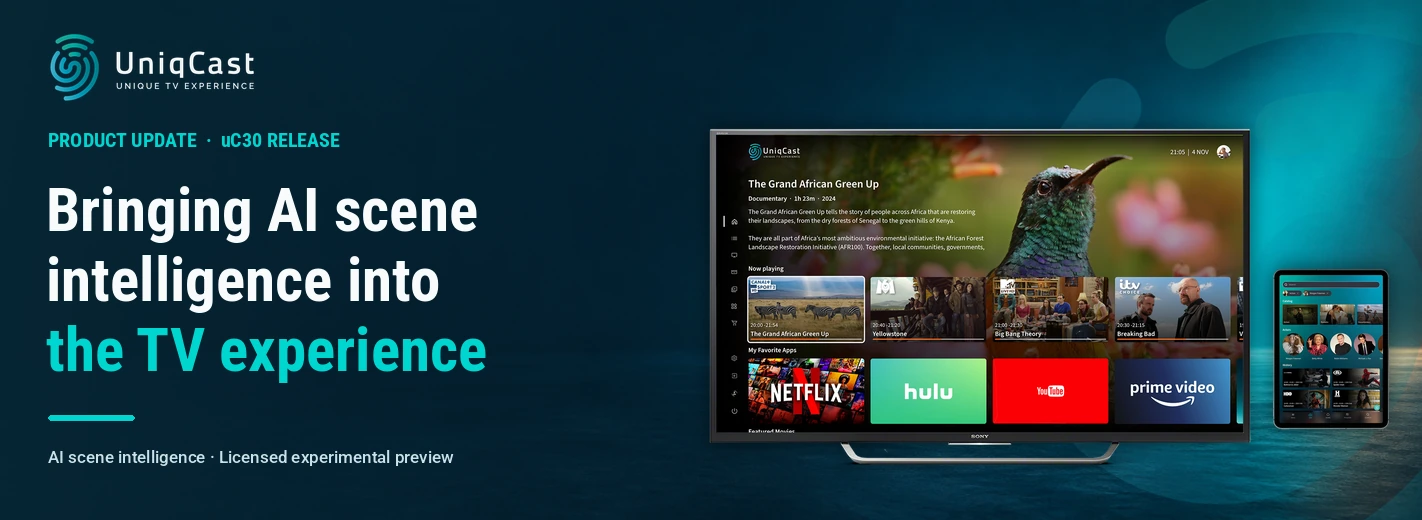
uC30 Release: Bringing AI Scene Intelligence into the TV Experience
Quick Summary
A scene raises a question. A viewer wants to understand a detail, explore what is on screen or catch up on the story. For an IPTV or OTT operator, that moment creates an opportunity: help the viewer find an answer while keeping the programme close at hand.
AI scene intelligence is the leading theme of the UniqCast Platform uC30 release for Q3 2026. Introduced as a licensed experimental feature on supported demo content, it brings visual scene analysis and contextual interaction into the TV player. Viewers can ask questions by voice, explore suggested questions and facts, or request “Summary so far” without opening another application.
The idea gives operators a practical way to explore a more responsive TV service, where the experience can help viewers engage with the content in front of them.
Around this theme, uC30 introduces a major new web application, refines sports statistics, extends payment integration options and improves navigation across devices. Security, content processing and analytics updates strengthen the operational foundation for these experiences.
Why AI Scene Intelligence Matters
Content creates curiosity. A viewer may want more context around an unfamiliar subject or need a reminder of what has happened in a story. Answering that question often involves reaching for a phone, deciding what to search for and finding a route back to the programme.
Scene intelligence offers another approach. By using the scene image and playback context, the TV service can help the viewer explore a question from the moment that prompted it.
For product teams, this creates a distinct opportunity to make the service more useful during viewing. Traditional discovery helps people choose what to watch. Scene intelligence explores how the service can support them once they are already watching.
The uC30 demonstration makes that distinction tangible. A viewer can open an overlay from a playing or paused scene, ask about what they see, or choose a suggested question. “Summary so far” offers another practical use: helping someone catch up on the story before the current playback position.
For operators, these interactions provide a clear demonstration of how AI could contribute to the subscriber experience. The value is easy to explain through the viewer’s action and the answer on screen.
That opportunity also needs careful evaluation. Answer quality, response time, supported content, rights and privacy all matter when moving from an experiment towards a subscriber service. uC30 provides a licensed experimental preview on enabled demo deployments, giving operators a concrete experience to assess.
The wider release reflects a related product priority: make it easier for viewers to explore content and continue watching. Sports statistics provide context alongside a match. The new web application connects discovery, playback and purchases. Faster STB navigation preserves the viewer’s place, while backend automation reduces the work required to maintain the catalogues behind those journeys.
General Version Highlights
A New Generation of the Web Application
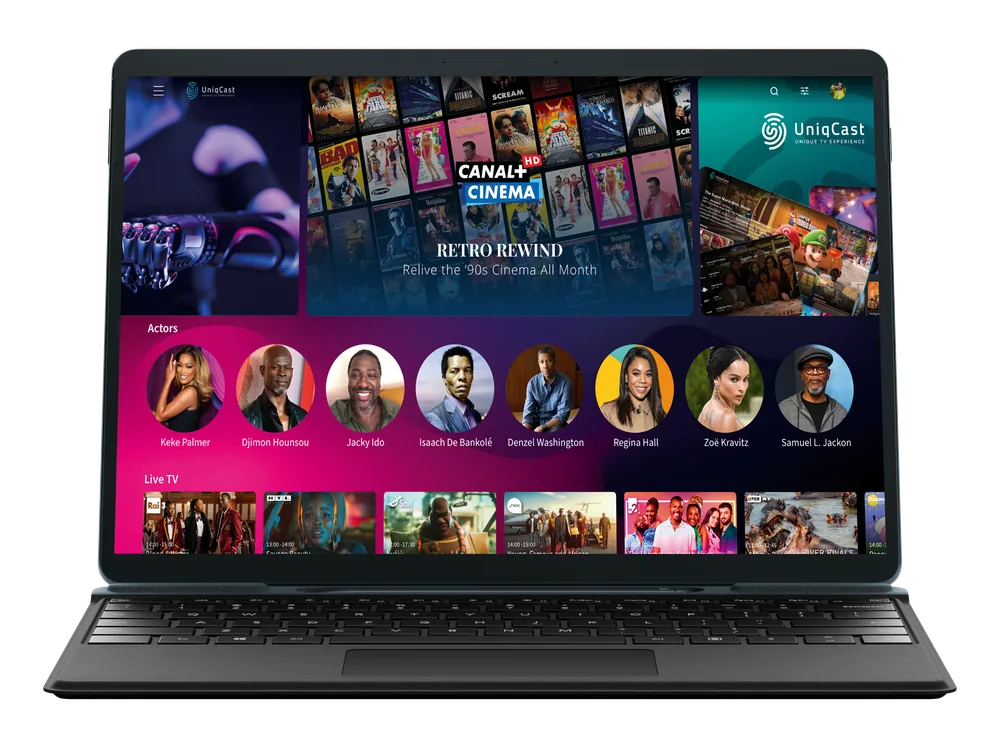
The new major version of the web application brings live TV, catch-up, on-demand movies and series, network recordings and TV Store into one browser experience. Responsive layouts and programme-guide views support both desktop and mobile browsers, allowing viewers to discover content and start watching within the same application.
Personalised catalogues, Automatically Organised Catch-up TV powered by Dynamic Hierarchy, Continue Watching and favourites help viewers find relevant content and return to previous selections.
Operators can combine configured content rails, branded catalogues and commercial offers to shape the browser experience. Web activity feeds into uStatia, giving teams information about browsing, playback and TV Store journeys.
Sports Statistics Alongside the Match
On supported live and catch-up sports, STB viewers can explore provider-supplied lineups, player information, match events and standings alongside the broadcast.
uC30 improves this experience with scrollable group tables, clearer access to available statistics and corrected match-data presentation. A viewer can open a match’s statistics and browse a larger group table without leaving the TV application, making it easier to follow the wider competition as well as the current game.
AI Scene Intelligence: A Licensed Experimental Feature
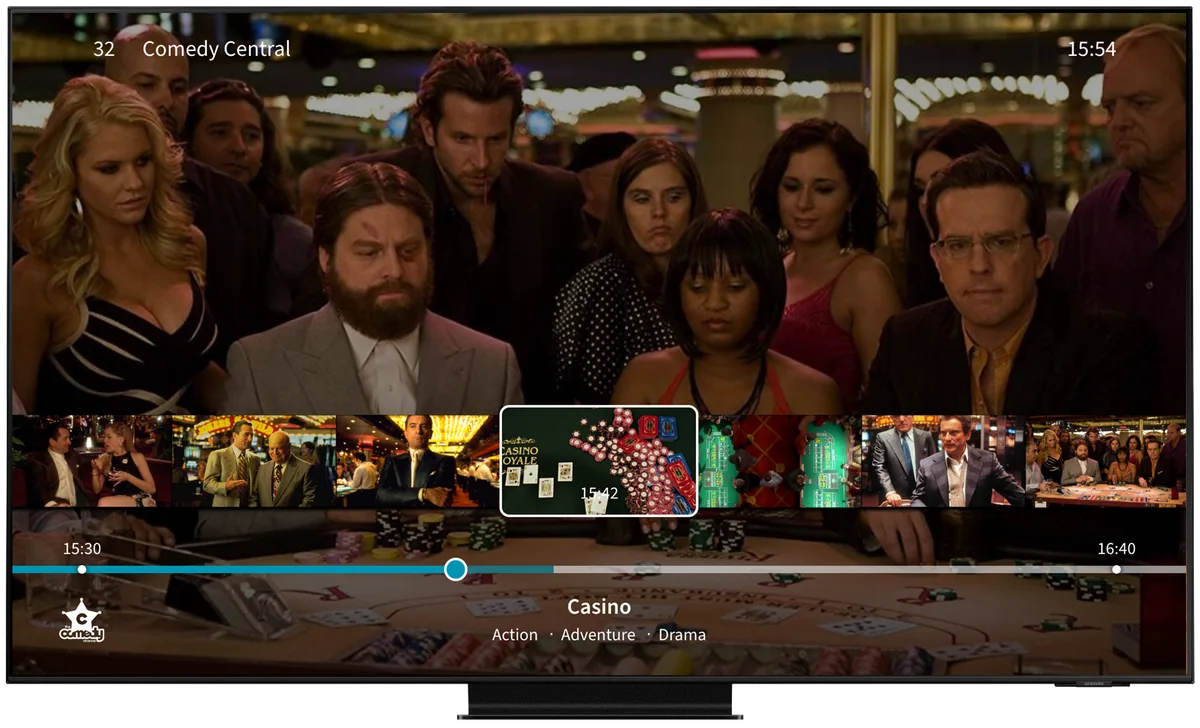
On supported content, AI scene intelligence combines the scene image with playback context to support questions and relevant information inside the Live/VOD player.
Viewers can ask questions by voice, choose suggested questions and facts, or request “Summary so far” for the story before their current playback position. The overlay is available from playing or paused scenes, allowing exploration within the viewing experience.
For operators, this provides a preview of contextual interaction that can be demonstrated and evaluated directly on the television.
Payment Gateway Extensions for Custom Operator Integrations
Extended payment-gateway capabilities support project-specific card-payment journeys for operators implementing the corresponding integration.
These journeys connect TV Store and on-demand purchases with card registration, purchase confirmation and saved-card management alongside the operator’s existing billing setup. In configured integrations, viewers can add, replace or remove a saved card. QR-based registration can move the registration step from the television to a phone where appropriate.
The extensions provide a basis for tailored payment scenarios across supported STB, Smart TV and mobile applications.
STB App Upgrades
Clearer Sports Statistics
Scrollable standings and group tables make larger sports datasets easier to browse with the remote control. Refined statistics links help viewers identify available information, while corrected match details improve its presentation.
The result is a more usable companion to supported sports broadcasts, particularly when viewers want to explore competition standings alongside the match.
AI Scene Intelligence in the Player
The STB player provides access to the licensed experimental AI scene intelligence experience on enabled demo deployments.
Viewers can open the overlay during active or paused playback through the supported remote-control or microphone entry point. This places questions, suggested facts and story summaries within the player, keeping the interaction connected to the scene.
Card Registration and Purchases from the TV
For configured custom payment integrations, the STB application supports QR-based card registration, saved-card management and purchase confirmation.
Refined consent screens clarify the next step when viewers add or replace a card. This helps explain the transition between the TV interface and the registration journey.
Broader Playback Support and Reliability
RTSP playback extends to additional supported device players. Refined subtitle-session handling and playback recovery improve reliability, while compatible devices gain teletext access through the extended player.
These changes give operators more options for matching playback capabilities to their deployed devices.
More Flexible Profiles and Purchase Controls
Operators can define a default profile avatar and configure purchase-PIN behaviour by device class.
This provides more control over profile presentation and purchase journeys for each supported device category.
Mobile Features
Card Payments and Account Management
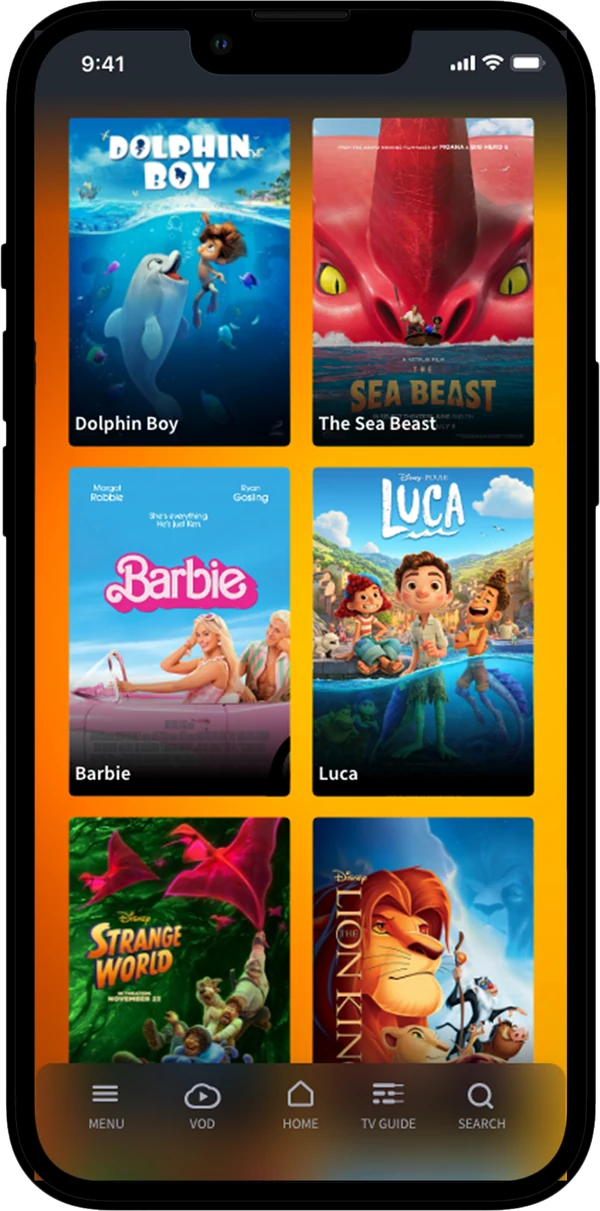
For configured custom payment integrations, mobile viewers can register and manage a payment card and use it for supported content purchases.
On iOS, the application explains the next step before opening the external browser, helping viewers understand how to continue the journey.
Quicker Access to Favourite Channels
A favourites filter gives viewers a more direct way to find preferred channels.
Operators also gain a circular menu rail as another navigation option, while the operator-defined default avatar provides a consistent starting point for profiles.
Advertising Alongside Playback
Support for non-linear VAST overlay banners adds an advertising format alongside video playback, extending the options available to operators.
Web Features
Live TV and Programme Navigation
The new web player supports live and catch-up viewing with adaptive streaming, digital rights management (DRM) protection, configured geographic restrictions and playback retry handling.
EPG overlays for desktop and mobile browsers, programme details and channel-list filters help viewers find what is on and move to an available programme.
Personalised Discovery and Automatically Organised Catch-up TV
Configured dashboards combine content rails, search and personalised dynamic catalogues.
Automatically Organised Catch-up TV groups related programmes into series and episodes, allowing viewers to explore a series without navigating individual broadcasts one by one. Mixed hierarchy content is separated into clearer rails, making the available collections easier to understand.
Movies, Series and Viewing Continuity
Movie and series details, trailers, Top 10 and branded catalogues provide several routes into on-demand content. VOD search and filtering help viewers narrow their selection.
Bookmarks, Continue Watching and favourites keep chosen content easy to return to. Episode-to-episode playback also supports longer series viewing sessions.
Together, these features help the browser serve both quick content searches and more extended viewing.
TV Store and Relevant Commercial Offers
Viewers can browse products, inspect their details and complete supported purchases from the browser.
Purchased-product rails make existing purchases easier to find. Device-class and promotion rules help operators present relevant offers to web viewers, connecting commercial options with the device being used.
Usage Insight for Operations and Product Teams
uStatia tracking covers web browsing and playback, with expanded activity tracking for VOD and TV Store.
Teams can analyse how viewers discover titles, use playback features and navigate commercial offers. This gives operators a broader view of the web customer journey when evaluating product and service improvements.
Smart TV
Card Payments and Clearer Purchase Information
For configured custom payment integrations, viewers can register a card through a QR code, manage the saved card and use it for supported purchases.
TV Store also displays payment-method and expiry information for purchased products, helping viewers understand their existing access.
Android Application Integrity
Android builds add release-build obfuscation and configurable checks for the application’s signing certificate and API certificate pins.
Operators can configure these checks to reject a re-signed application or a connection that does not match the expected certificate. This strengthens control over which application builds and connections the service accepts.
Playback Quality Monitoring with NPAW
The NPAW Youbora integration adds Smart TV playback activity and quality metrics.
Through their configured analytics service, operations teams can investigate buffering, startup behaviour and viewing sessions, giving them more context when assessing playback issues.
Access to Local Apps During Connection Loss
When the network connection is lost, the Android-based client retains access to installed applications and available local settings.
Online features become available again when connectivity returns, while local functions remain accessible during the interruption.
Backend
Authentication and Service Security
OTP login gains stronger failed-attempt controls, alongside tighter restrictions on registration and payment tokens.
User-information responses and authentication logging are refined to protect sensitive PIN and OTP data. Runtime and dependency updates extend security hardening across administration, delivery, DRM, messaging, ingest and analytics services.
This supports the more visible application-security improvements with changes throughout the service infrastructure.
Less Manual Work When Updating VOD Catalogues
For supported file-based content feeds, the ingest service detects changes to source material and updates the published catalogue automatically.
Replacing a video or changing subtitles, quality or a trailer triggers the required processing. A change limited to a title or description reuses the existing video. Operations teams can maintain the source feed without manually restarting processing for every changed asset.
Trailer handling becomes more flexible across movies, episodes, series and seasons. Shared series or season trailers are processed once. Where trailers require processing, content is published when both the content and its trailers are ready.
This reduces repeated processing and avoids publishing titles with unfinished trailers.
More Control over Content Ingestion
Operations teams can schedule supported content providers independently or trigger a synchronisation on demand.
Individual movies and episodes can also be added directly through the ingest administration panel. Provider logos can be assigned to internally ingested content, supporting consistent presentation within the service.
Analytics Maintenance and Diagnostics
Operator-specific event streams, automatic rollover and retention reduce manual analytics-storage maintenance.
Captured rejected events help teams investigate missing data. Viewership-import fixes and repaired dashboard field mappings improve the information available for reporting and content discovery.
More Focused Ingest Diagnostics
Ingest logging can be adjusted by functional area from the administration panel while the service is running.
Operations teams can examine a particular provider or processing step in more detail without restarting the service or increasing log detail across every area.
Exploring the Viewing Moment
AI scene intelligence gives operators a specific experience to evaluate: a viewer sees something interesting, opens the player overlay and explores it in context. Its experimental scope in uC30 provides a starting point for assessing where that interaction is useful and what a dependable subscriber experience would require.
The wider release improves the everyday journeys surrounding those moments. Viewers gain clearer sports information, a unified web experience, faster STB navigation and more convenient purchase flows where integrations are configured. Operators gain stronger security, more automated catalogue updates and better tools for understanding service behaviour.
For product teams considering AI scene intelligence, the next step is to evaluate the supported demonstration against real viewing needs: which questions are useful, how well the interaction fits the television screen and when it helps someone return to the programme with greater understanding.