

14 Things to Consider When Preparing an RFP for Your IPTV or OTT Service
Quick Summary
So, you have decided to launch a TV service. Or perhaps you already run one, and the platform that served you well a few years ago is becoming harder to change.
Either way, choosing the next technology partner starts with a few questions on your side. What are you trying to achieve? What needs to change? And, if you have an existing service, what can you afford to disrupt?
A request for proposal, or RFP, gives you a place to work through those questions and explain your requirements to potential vendors. Done well, it helps you receive proposals you can actually compare. It also brings difficult decisions forward, while you still have time to make them.
For a project planned in 2026 or 2027, that means looking beyond launch day. Your RFP needs to cover the service customers will use, the transition from what you have today, and the work and cost of keeping everything running afterwards.
You do not need a hundred-page document to get started. You do need enough detail to make sure you and the vendors are talking about the same project. These fourteen considerations will help.

1. Define what the project needs to achieve
Why are you investing in the service? It sounds like an obvious question, but the answer will shape almost everything that follows.
You might want to add TV to a connectivity bundle, reach customers beyond your fixed network, introduce a new revenue stream, or replace a platform that makes every small change expensive. An established operator may also want to keep useful set-top boxes and existing integrations while improving the customer experience.
Put those priorities in plain language. “Modernise our TV service” leaves a lot open to interpretation. “Replace the service management and application layers while retaining compatible installed devices and our existing billing system” gives a vendor something concrete to work with.
Agree how you will judge success, too. A launch date, a defined device coverage target, or the ability for your team to change packages without a development request is more useful than a general promise of flexibility.
2. Decide how the service will make money

Will customers pay a monthly subscription? Will TV be bundled with broadband or mobile? Do you need advertising, rentals, pay-per-view events, or a combination?
The answer affects more than the price list. It determines how packages, entitlements, promotions and billing need to work together. A free trial, for example, needs a clear start and end, rules for conversion to a paid package, and a predictable customer experience if payment fails.
Describe the models you need at launch and the ones you may introduce later. Then explain the important business rules. Can customers upgrade immediately? What happens to their access when they cancel? How many simultaneous streams does each package allow?
These details help you discover whether a proposed capability is ready to use or needs additional integration and development.
3. Understand why customers will choose and keep your service

What will make someone subscribe? And what will give them a reason to stay once the introductory offer ends?
Start with the audience and the content. A service built around live sport has different requirements from one centred on local channels or a film catalogue. Rights agreements may also determine where content can be watched, on which devices, and whether catch-up, recording or offline viewing is allowed.
Translate that into requirements for content protection and device coverage. Rather than asking only for “multi-DRM (digital rights management) support”, identify your target devices and the protection obligations attached to your content. Have the vendor explain and demonstrate how that combination will work.
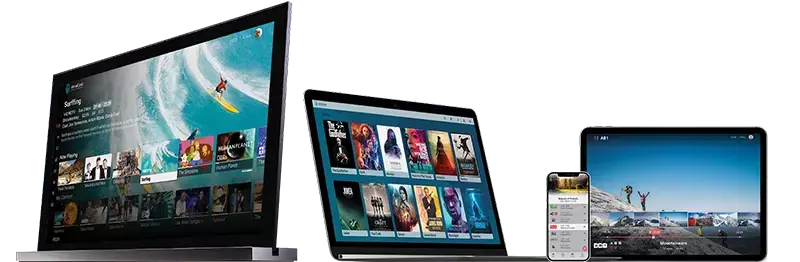
Then consider ordinary viewing habits. Can a customer find tonight's programme, start something they missed, and continue watching on another supported screen? Is the experience still responsive on the older devices in your installed base? Those are useful questions for an RFP and even better ones for a demonstration.
4. Define where and how you will deliver the service

Are your viewers on your own managed network, on the open internet, or both? Will you serve one country or several markets?
These decisions affect the delivery architecture, content rights, regional variations and support model. A managed IPTV service, an OTT service and a hybrid service should not be sized as though they deliver every stream in the same way.
Give vendors a picture of your subscriber locations, network connectivity, data centres and existing delivery infrastructure. Explain whether you intend to operate a private content delivery network (CDN), buy external CDN services, or compare both options.
Make the boundaries clear. If you provide connectivity or an existing CDN, what must the vendor integrate with? If the vendor supplies delivery, what is included in the price and who investigates playback problems? Agree how performance will be measured at the viewer's device, as well as inside the platform.
5. Work out what changes and how customers will move

A new platform does not necessarily mean a new version of every system around it. Map the current environment and integration requirements and decide what you expect to replace, retain or retire. Billing, customer relationship management (CRM), identity, headend equipment, content protection and devices all deserve a place on that map.
Be honest about what you do not yet know. Some older boxes may be reusable; others may need replacement. Let vendors assess the actual models, software versions and constraints rather than promise compatibility with an undefined “legacy estate”.
For an existing service, migration belongs in the RFP from the beginning. How will accounts, subscriptions and entitlements move? Will the old and new platforms run in parallel? Can you start with a small customer cohort before moving more households?
Define what a successful migration looks like and when it should pause. For example, an illustrative requirement could specify that migrated customers retain their packages, can activate supported devices, and meet agreed playback checks before the next cohort moves. Require a rollback plan that explains what can be reversed, within what time, and how changes made during the transition are reconciled.
Include customer communication and support preparation. A technically successful cutover can still create unnecessary calls if customers do not know what to expect.
6. Choose deployment around your workload and team

On-premises, private cloud, public cloud and hybrid deployment can each make sense. The useful question is which arrangement fits your service and the people who will operate it.
If you already have infrastructure, connectivity and an experienced operations team, those investments may be worth keeping. If you need a managed service, be specific about what you expect the provider to manage.
Compare the options using the same workload. Include traffic, storage, redundancy, backup, recovery, monitoring, upgrades and support. Cloud hosting still requires an operating model, and availability depends on the architecture and contractual commitments, not simply where the servers sit.
Ask who patches each component, who responds to an incident, and what happens if a site or dependency fails. Recovery targets and failover behaviour should be backed by a design and a test plan. If you expect to change hosting arrangements later, include the practical and commercial conditions for doing so.
Security needs the same clarity. Specify administrative access controls, audit records, vulnerability handling and incident notification. Explain your requirements for subscriber data, retention and processing locations, including any analytics or recommendation services. Have vendors identify their responsibilities and provide evidence for the controls you need.
7. Make responsibility easy to follow

Would you prefer one prime vendor to coordinate the solution, or do you have the team to manage several specialist suppliers?
A single point of responsibility can simplify delivery and support, provided the contract makes that responsibility real. A multi-vendor arrangement can give you more choice, but someone still needs to own the integrations and resolve problems across them.
Think about a viewer who cannot play a channel. The cause might involve the application, entitlement service, DRM, stream or network. Who takes the incident, coordinates the investigation and confirms the fix?
Have each proposal identify what the vendor delivers, what partners deliver, and what remains with your team. Include testing, release coordination and support after launch. This is where a neat architecture diagram needs to become a workable operating arrangement.
8. Give the RFP a clear structure

Make it easy for vendors to understand the project and easy for your team to review their answers. A practical structure includes:
- Project background, business objectives and scope
- Current environment and target service
- Functional, technical, security and migration requirements
- Capacity assumptions and operating responsibilities
- Delivery milestones, testing and acceptance
- Commercial response, evaluation criteria and submission instructions
Include diagrams where they help, and use a consistent reference number for each requirement. Set a process for clarification questions so bidders receive the same material information.
If important feasibility questions remain unresolved, an RFI or a focused discovery exercise may be useful before the formal tender. It is easier to improve an uncertain requirement now than to negotiate a different project after selection.
9. Compare the cost of running and changing the service

The headline platform price will not tell you the whole story. What happens when your subscriber base grows, viewing increases, or you want to add another device application?
Request a breakdown of one-time and recurring charges. Cover licensing, implementation, integrations, migration, infrastructure, CDN traffic, storage, support, third-party services and upgrades. Include the internal effort needed to operate the proposed arrangement.
Clarify the charging units. Does “per subscriber” mean a registered account, an active account or a household? Are additional devices or concurrent streams charged separately? Which usage allowances are included, and what happens above them?
Compare realistic launch and growth scenarios over the same period, with the same assumptions. Include any overlap while two platforms run during migration. Finally, review the cost of change and exit: API access, custom work, data export, transition assistance and the conditions for ending the contract.
10. Turn requirements into answers you can verify
“Supported” is a useful starting point. It is rarely a complete answer.
For each requirement, separate two things: how fully the proposal meets it, and how the vendor will deliver it. A feature can be fully compliant but depend on an integration. Another can exist in the product yet only partly satisfy your requirement.
Use a response format that records:
- Compliance as full, partial or non-compliant, with limitations explained
- Delivery through existing functionality, configuration, integration or custom development
- Availability now or dependency on a future release
- Evidence, dependencies, responsible parties and included costs
For critical requirements, agree how compliance will be demonstrated. Documentation may answer one question; a test on your target device or an integration demonstration may be necessary for another.
Treat roadmap capabilities separately from what is available today. If the project depends on a future feature, understand the delivery commitment and your options if it arrives late.
11. Size the service using actual viewing assumptions
How many subscribers do you expect? Now the harder question: how many will watch at the same time, and what will they watch?
Capacity planning needs both. Specify normal and peak concurrency, including major live events, and distinguish managed multicast delivery from unicast streaming. Describe the channel lineup, SD, HD and UHD mix, encoding profiles and expected bitrates.
Include catch-up retention by channel, VOD catalogue size and growth, and recording requirements. For network PVR, explain how many customers may use it, how many hours they can retain, and the applicable recording model and rights. Those assumptions can materially change storage needs.
As a simple illustration, 10,000 simultaneous unicast streams averaging 6 Mb/s represent 60 Gb/s of video payload. That is before protocol overhead and additional capacity for resilience. Ten thousand registered subscribers tell you much less about the bandwidth required.
Have vendors show their sizing assumptions for storage, origin and edge delivery, authentication and entitlement services. Require performance tests that reflect your expected mix of viewing and account activity, rather than accepting a single headline capacity figure.
12. Test the features as customers will use them
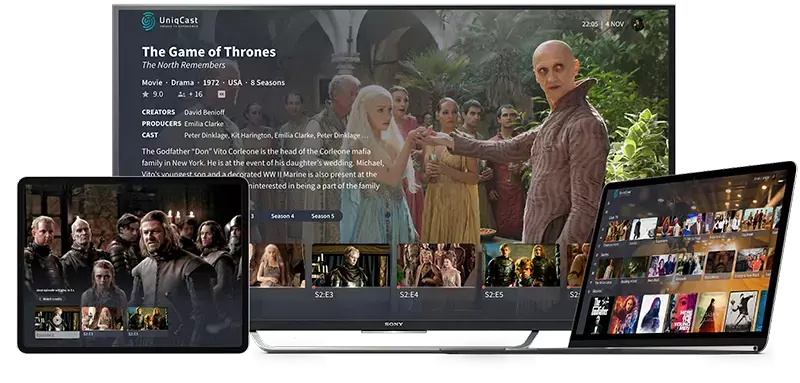
Your feature list might include live TV, EPG, search, catch-up, start-over, pause, recording and VOD. Decide which are essential for your service, then connect them to complete viewing journeys.
For example, a customer finds yesterday's programme in the EPG, starts it, pauses it and resumes on another supported device. Which parts of that journey work, under which rights and account rules, and on which device versions?
Include activation, package changes, parental controls, device replacement and support for an expired subscription. These journeys expose connections between systems that a polished home-screen demonstration can miss.
Test representative devices from your own portfolio, including older hardware where you intend to retain it. Specify measurable expectations for startup, navigation and playback, with agreed test conditions. If a vendor proposes AI-assisted search or recommendations, assess its usefulness with your catalogue, languages and data permissions. Include it because it solves a service need, and verify the result.
Look beyond the demonstration version, too. Who maintains the applications as device operating systems change? Which models and software versions will remain supported, and how will customers be informed when support ends?
13. Decide how you will score the proposals
Writing requirements and evaluating responses are different jobs. Agree the evaluation method before proposals arrive.
Identify the requirements that must be met for a bid to proceed. Then weight the remaining criteria around your business priorities: customer experience, migration feasibility, operating fit, delivery confidence and total cost.
Use the compliance responses from point ten as evidence for scoring. Do not award the same credit to an available, demonstrated capability and an unsupported promise of future development.
Plan demonstrations and proof-of-concept work around the questions that could change your decision. A targeted test of an installed device or a difficult integration may be more valuable than another general product presentation.
Keep assumptions and unresolved issues visible in the evaluation. You want to know what you are accepting before the contract is signed.
14. Speak to operators with comparable projects
Operator case studies and references are most useful when they resemble the service you need to build or replace. Look for comparable devices, delivery models, integrations, migration challenges and operating responsibilities.
Ask what happened after selection. Did the migration follow the proposed plan? What required more work than expected? How does support respond when an incident crosses supplier boundaries? How difficult are upgrades and everyday changes?
A large deployment can demonstrate scale, but a smaller operator with a similar environment may tell you more about your particular risks. Where possible, speak to people involved in both implementation and ongoing operations.
You are choosing a partner for the years after launch as well as the launch itself. Their ability to explain limitations and take responsibility matters alongside the product.
Before you send the RFP
Read it once from the vendor's perspective. Could someone who does not know your business understand what you need, what they must provide, and how you will assess their answer?
Then read it from your operations team's perspective. Is it clear how customers will move, who will run the service, and what happens when something goes wrong?
If either answer is uncertain, spend a little more time on those sections. A clear RFP gives everyone a better starting point, and gives you a better chance of choosing a platform you can live with as the service grows.
For help connecting the procurement decision to your wider platform strategy, explore The Telco TV Playbook, UniqCast's guide to IPTV and OTT modernisation.
Preparing a new service or a platform replacement? Discuss your IPTV or OTT requirements with UniqCast.